SaralFileManager: Files & Zip

SaralFileManager icon
Free Android app · v1.0.0

A simple, private file manager: copy, move, zip and find your files.

A free file manager for Android. See your phone storage, SD card and USB drives in one place, copy and move files with a progress bar, zip and unzip in a tap, and find any file as you type. There are no ads and no sign-up, the app has no internet permission, and the source code is open for anyone to check.

  • Free, with no ads and no sign-up
  • No internet permission: your files stay on your phone
  • Open source under GPL-3.0
Coming soon to Google Play
We'll email you when it's live, plus occasional website tips. Unsubscribe any time.
Open source (GPL-3.0): view the code on GitHub
SaralFileManager: All your storage in one place
Screenshots

See it in action

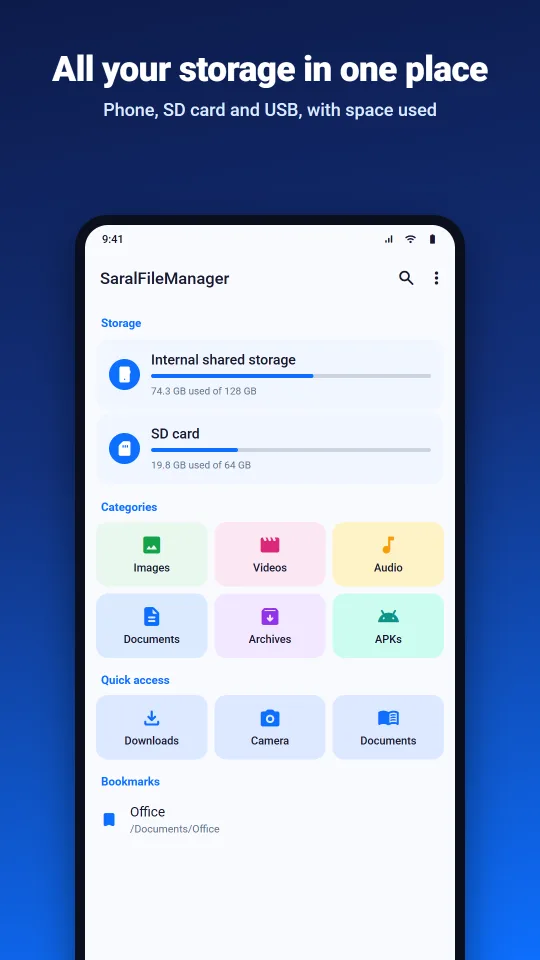
SaralFileManager: All your storage in one place
All your storage in one place. Internal storage, SD card and USB drives with the space used, plus categories, quick access and your bookmarks.
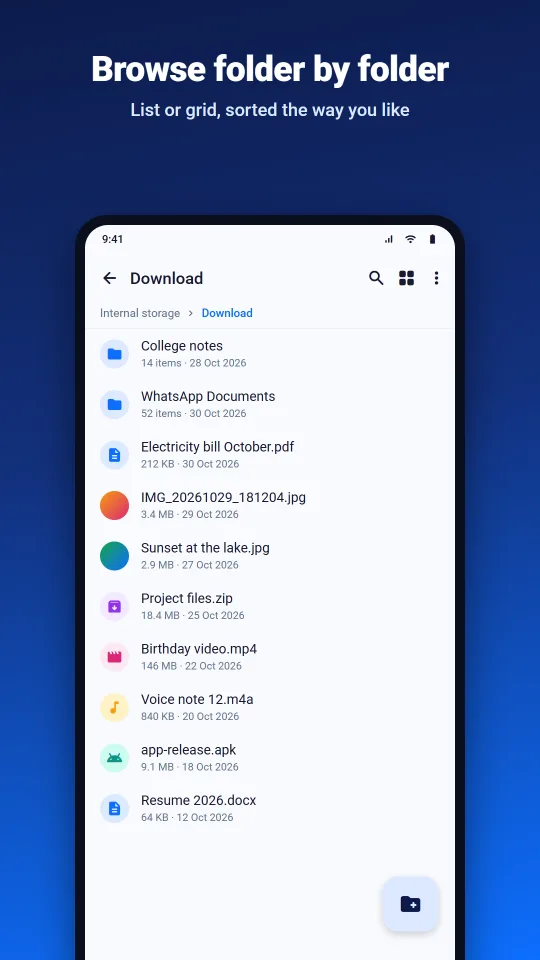
SaralFileManager: Browse folder by folder
Browse folder by folder. List or grid with photo and video previews, sorted by name, date, size or type. The path bar takes you back in one tap.
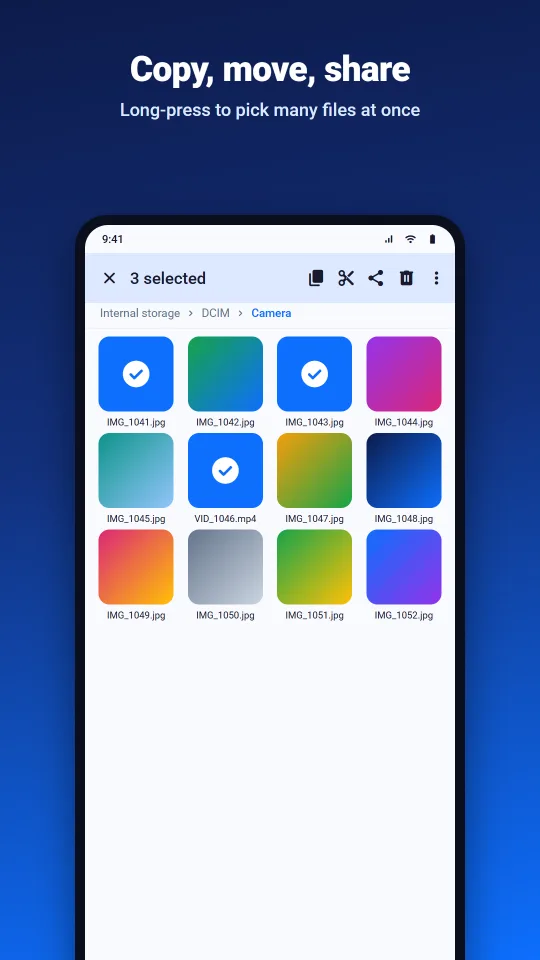
SaralFileManager: Copy, move and share
Copy, move and share. Long-press to pick many files at once, then copy, cut, share or delete them together.
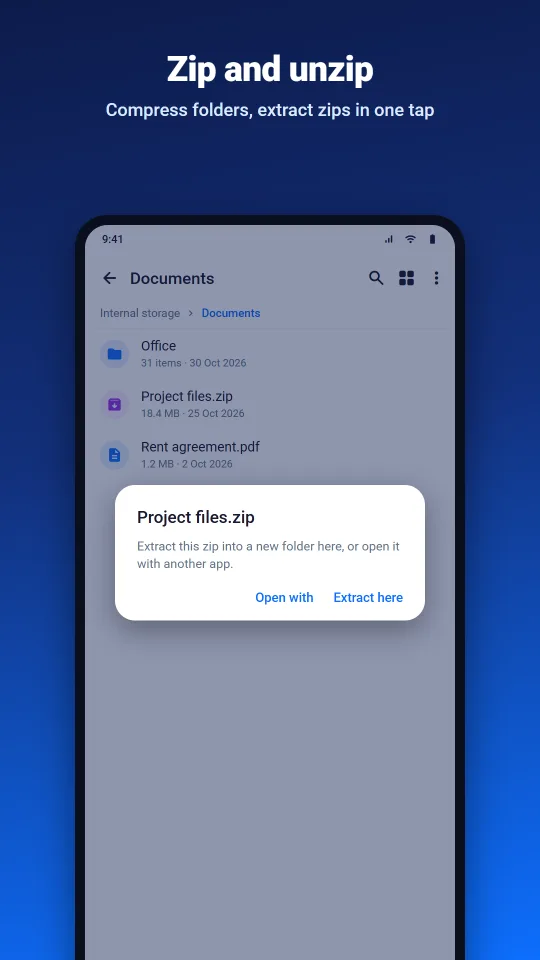
SaralFileManager: Zip and unzip
Zip and unzip. Compress any selection into a zip. Tap a zip to extract it into a new folder next to it.
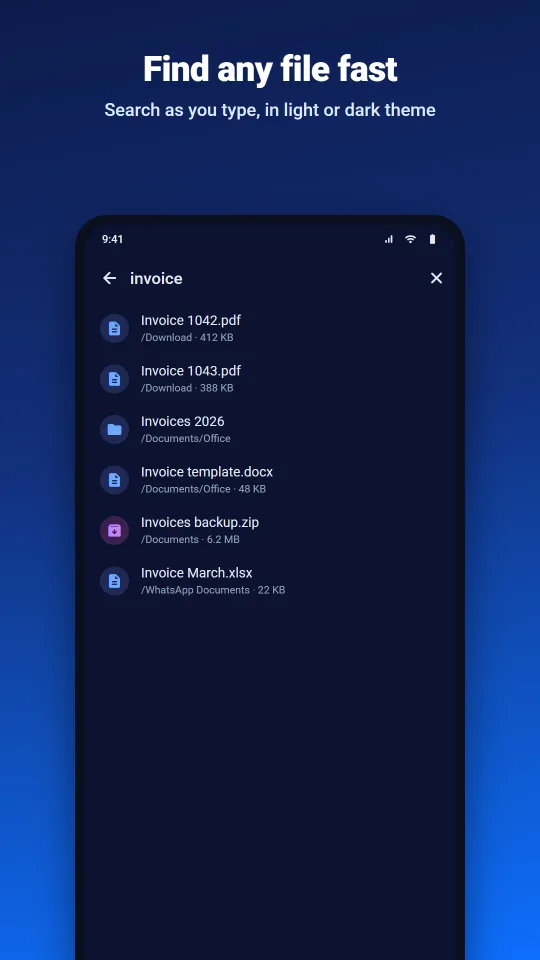
SaralFileManager: Find any file fast
Find any file fast. Search a folder and everything inside it as you type, in a light or dark theme that follows your phone.
Features

What SaralFileManager does

Everything at a glance

Internal storage, SD card and USB drives with how much space is used, categories for images, videos, audio, documents, archives and APKs, and quick links to Downloads, Camera and Documents.

Bookmarks and recent files

Bookmark the folders you use most, and see the files you changed in the last 30 days.

Browse your way

List or grid with photo and video previews. Sort by name, date, size or type, show hidden files when you need them, and names sort naturally, so “Photo 2” comes before “Photo 10”.

Copy, move, rename, delete

Long-press to select, then copy or cut and paste into another folder or storage. Make new folders and files, and see details with the size of whole folders.

Progress and cancel

Copies, moves and zips show a progress bar and can be cancelled at any time. A cancelled copy doesn’t leave a broken half-file behind.

Zip and unzip

Compress files and folders into a zip, and tap a zip to extract it into a new folder. Entries that try to write outside that folder are skipped.

Search as you type

Find files and folders by name in the current folder and every folder inside it. Results appear as they are found.

Open with and share

Open a file in the app you choose, or share it to WhatsApp, email and other apps.

Private and open source

No ads, no analytics, no account and no internet permission. The full code is on GitHub under GPL-3.0, so anyone can check what the app does.

Private by design

The app has no internet permission, so it can’t send your files anywhere. It works on your files where they are and only does what you ask on screen. There are no ads, no account and no analytics, and the code is public so you can check.

Read the privacy policy

Made for

  • Anyone tired of ads in file managers
  • Phones with an SD card or USB drive
  • People who send files on WhatsApp and email
  • Privacy-minded users

Need an Android app for your business?

We built SaralFileManager in-house, from the first screen to the Play Store release. Tell us what your app needs to do and we’ll tell you honestly what it takes.

FAQ

Questions about SaralFileManager

Yes. It’s free, with no ads, no in-app purchases and no paid version.

A file manager has to list, copy, move and delete files in every part of your shared storage, SD card and USB drives, and on Android 11 and newer that needs All files access. You turn it on yourself in Android’s settings and can turn it off there at any time. The app uses it only to do what you ask on screen, and it has no internet permission, so your files can’t be sent anywhere.

No. The app has no internet permission. It works on your files where they are, and photo and video previews are made on your phone. Files only leave the phone when you share them to another app yourself.

Yes, on Android 11 and newer. On Android 8 to 10, Android lets apps read an SD card but not write to it this way, so you can open and copy files from the card but not copy files onto it.

Yes. SaralFileManager is open source under the GPL-3.0 licence, and the code is on GitHub at github.com/saraltechies/saralfilemanager. Bug reports and ideas are welcome there.

Not yet. It makes and opens zip files, and it works with your phone storage, SD cards and USB drives. RAR, 7z, APK install and cloud or FTP connections are not supported in version 1.0.

Android phones running Android 8.0 or later. On Android 11 and newer, Android keeps each app’s Android/data and Android/obb folders private, so no file manager can open them.
WhatsApp us