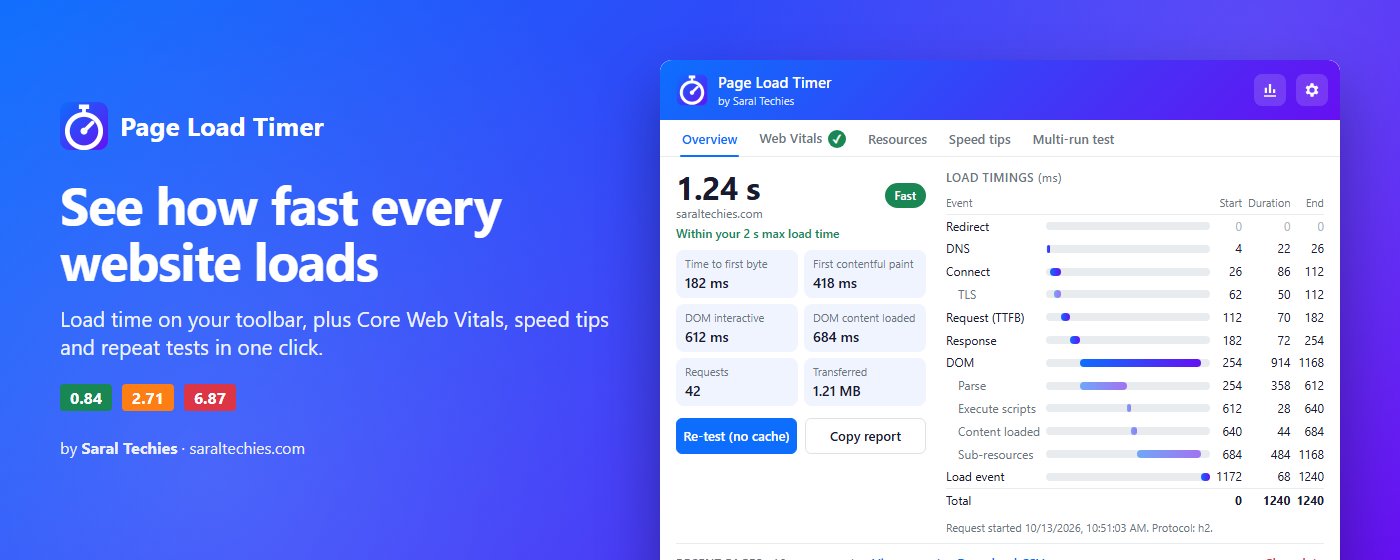
The problem
“Is my website slow?” is one of the most common questions a web agency hears, and it's harder to answer than it sounds. Online speed tests run from a server somewhere else, on a clean connection, once. The owner is asking about what they see on their own laptop, on their own internet, every day.
Developers can open Chrome's DevTools and read the numbers, but that's not something you do on every page, and it's not something a shop owner or an SEO person wants to learn. We wanted the answer always visible: open a page, and the toolbar shows how long it took.
There was a second, quieter requirement. A speed extension sees every site you visit. Many extensions ask for broad permissions to do far simpler jobs. We wanted to ask for as little as Chrome allows.
What we built
One permission
Page Load Timer asks for one Chrome permission, storage, to keep your settings and history. It reads timings with a small script on web pages and nothing else. It has no access to your tabs list, your browsing history API or your network traffic, and it makes no network requests of its own.
The store listing explains one choice that looks odd at first. Chrome's “activeTab” permission sounds lighter, but it only works after you click the extension. The badge has to show the time on every page without a click, so a page script was the honest way to do it.
Measuring it properly
The load time is read from the browser's own Navigation Timing data: from the moment navigation starts to the end of the page's load event. The badge goes green for 2 seconds or less, amber up to 4 seconds and red above that.
Core Web Vitals took more care than we expected. Largest Contentful Paint is measured from when the page was actually shown, so pages Chrome prerendered in the background aren't scored unfairly. Layout shift is grouped into the same session windows Google uses, and shifts right after you click or type are ignored. Interaction to Next Paint follows Google's rule of setting aside one outlier for every 50 interactions. Pages restored instantly with the back button are reported again, because they really did load again.
Repeat tests and history
One load can be a fluke, so a repeat test reloads the page 3, 5 or 10 times, with or without the cache, and reports the median, fastest and slowest. The last 100 page loads are kept and can be exported to Excel. The Excel file is written by our own small exporter rather than a library, which is part of why the whole extension is 46 KB.
Where it stands
Page Load Timer is free in the Chrome Web Store at version 1.2.0. Versions 1.1 and 1.2, which added history, alerts for slow pages, site rules, Web Vitals, tips and repeat tests, were all built on 13 October 2026.
It has its own end-to-end test that starts a real headless Chrome, loads test pages and checks what the extension reports, about 45 checks in all. A validator runs before every push, so a release can't go out with a broken manifest.
It's worth being clear about what it is. It measures the pages you actually load, in your browser, on your connection. That's the point of it, and it's also its limit: it isn't a lab test, and a result on your office Wi-Fi won't match a test run from a data centre. When a page is slow and you want to know why, that's where a proper audit comes in.