The problem
QR codes are everywhere in India now: on shop counters, restaurant tables, posters and bills. That makes them a good place for a scam. Someone pastes their own sticker over a real code, and the phone takes you straight to a fake payment page or a login form that looks almost right.
When we tried the scanner apps on our own phones, most of them did the same thing. They read the code and opened the link immediately. You never got a moment to look at where you were going.
So the brief we gave ourselves was short. Read any code fast, even offline. Then stop, show the person what is inside, and point out anything that looks off, before anything opens.
What we built
Fast scanning that doesn't need the internet
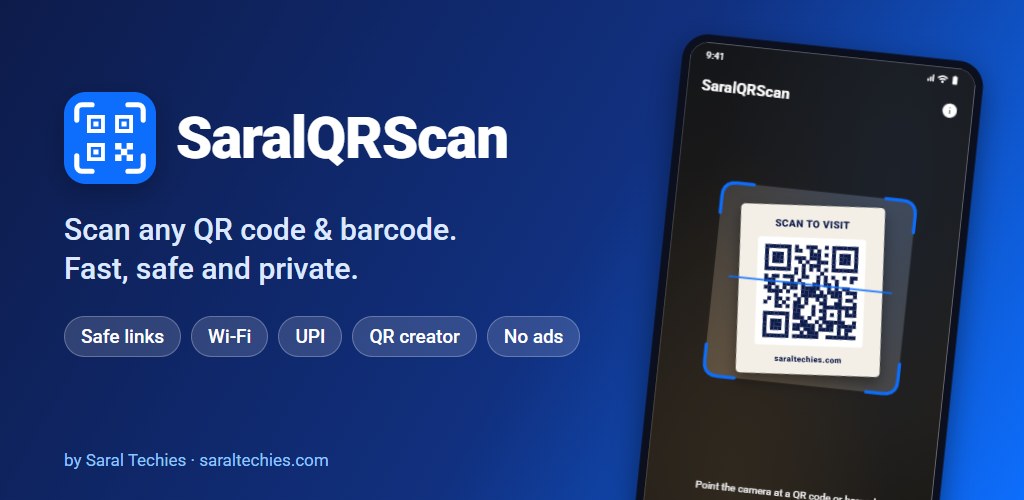
The camera runs on CameraX, and the codes are read by Google's ML Kit with the scanning model built into the app, so it works in a basement shop with no signal. It reads QR codes and 12 other formats, from EAN and UPC on product packs to Data Matrix, PDF417 and Aztec. You can also scan a code from a photo or a screenshot, and if the image holds several codes you choose which one you meant.
A safety check before every link
The heart of the app is a small piece of code that looks at a link before you open it. It's simple on purpose. It warns about seven things we kept seeing in scam links:
- no HTTPS
- a raw IP address instead of a name
- look-alike domains written in punycode (the
xn--trick) - short links that hide where they really go
- the “@” trick that puts a fake name in front of the real address
- very long links
- links the app can't read properly
It runs on the phone and sends nothing anywhere. We're careful about how we describe it: it warns, it doesn't guarantee. A clean result means none of those signs were found, not that a site is safe.
The everyday codes, handled properly
A UPI code opens in the payment app you already use, and SaralQRScan never touches the money. Wi-Fi codes connect in one tap. Contacts and calendar events are saved only after you confirm. There is a code maker too, so a shop owner can print a UPI code for the counter in a minute.
What broke
Version 1.0.2 was a routine toolchain update. It crashed the moment the scanner opened. The new build tools were stripping out a few constructors that ML Kit needs at runtime, which no unit test could catch. Version 1.1.0 fixed it with one keep rule. It was a good lesson in how a release can pass every test and still fail in the first second, and SaralReader later hit the same crash, which the same fix sorted out.
1.1.0 also brought auto-zoom for small or distant codes and sharper camera frames. 1.2.0 added a Quick Settings tile and launcher shortcuts, so scanning is one tap from anywhere.
Where it stands
SaralQRScan is live on Google Play at version 1.2.0. It went from first commit to five releases between 13 and 28 October 2026. The code has 28 unit tests covering how codes are understood, how QR payloads are built and when the app asks for a rating. That last one is deliberately polite: not before the third successful scan, at most once a month, and never more than three times.
A few things are still on the list. Auto-zoom has only been tested on emulators so far, not on a wide range of real cameras. A Hindi version was built and then held back until we can check every string properly. And the link check will keep growing as scams change.
For us it was also the template. The project layout, the release pipeline that signs builds on GitHub and deletes the key afterwards, and the rating and update prompts all started here, and the apps that followed reuse them.