The problem
As an agency we log in to a lot of things that aren't ours: client hosting panels, domain registrars, Google accounts, cloud consoles. Most of them want a 2-step verification code. After a while the authenticator app on the phone was one long list, with a personal Gmail sitting right next to a client's AWS account.
That causes small daily problems. You scroll past the wrong code, you can't tell two “Google” entries apart, and when someone joins or leaves the team there's no clean way to hand over one client's codes and nothing else.
The bigger worry was losing the phone. Some apps keep no backup at all. Others sync your secret keys to their own servers. We wanted something in between: a backup that survives a lost phone, that only you can open, and an app that can't send anything anywhere even if it wanted to.
What we built
Organizations first
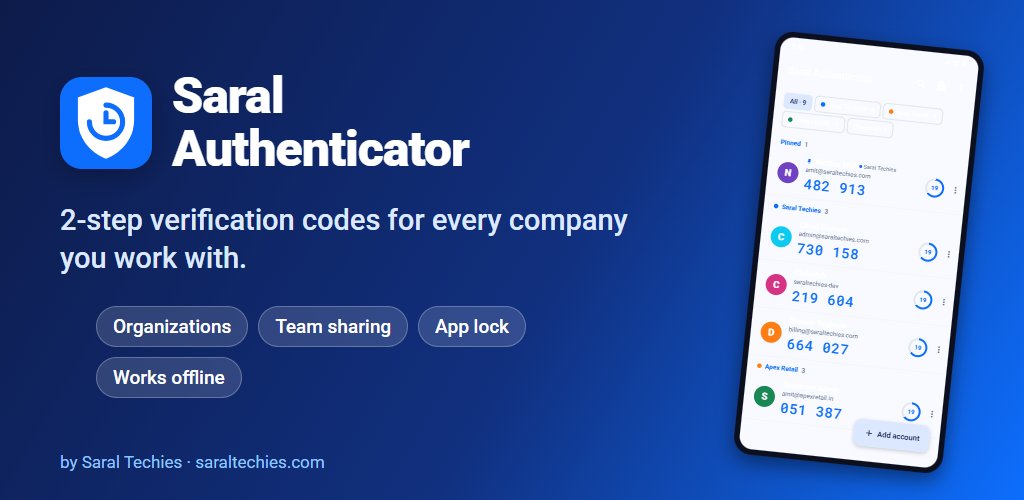
Every code lives in an organization: your own, one per client, one per employer. Each has its own colour, and since version 1.2 organizations can hold groups too, so a client's “Production” and “Staging” accounts don't get mixed up. An organization can be shared as a set of QR codes or as an encrypted file, so a teammate gets exactly that client's codes.
No internet, by design
The app removes Android's internet permission in its manifest, so even a library that asks for it doesn't get it. QR codes are read on the phone with ZXing, which also means it works on phones without Google Play services. Secret keys are encrypted with a key held in the Android Keystore, screenshots are blocked by default, and the phone's screen lock is needed before keys are shown, exported or backed up.
The codes themselves follow the standards exactly: time-based and counter-based, SHA1, SHA256 and SHA512, 6 to 8 digits. The generator is unit-tested against the official test values published in RFC 4226 and RFC 6238, which is the only way to be sure a code will match the website's.
A backup that survives a lost phone
This was the hardest part, and it came in version 1.1. You set a backup password once. After every change, the app writes an encrypted backup file using AES-256-GCM, with the password stretched through 310,000 rounds of PBKDF2 so guessing it is slow. Android's own backup is told to carry that one file and nothing else. On a new phone you sign in to the same Google account, install the app, and it says “Backup found” and asks for the password.
The app still has no network permission, because Android does the carrying. The catch is the one we spell out everywhere: forget the password and nobody can open that backup, including us.
Moving in from other apps
Google Authenticator exports accounts as a series of QR codes in its own binary format. We read and write that format by hand rather than adding a library, and show a progress panel so you can scan the codes in any order without losing track. Version 1.4 added plain exports from Aegis, 2FAS and andOTP.
Where it stands
Saral Authenticator is live on Google Play. Versions 1.0 to 1.3 were built on 22 October 2026, and 1.4 followed six days later, so the app went from first commit to five versions in a week. That pace was only safe because the core is covered by 34 unit tests, from the code generator to the import formats. The install is about 3.3 MB.
A smaller feature we're quietly pleased with is “Most used”. Each time you use a code its score goes up, and the score halves after two weeks without use, so a client you finished with last month drifts down the list on its own. It's simple arithmetic, not AI, and we describe it that way.
What it doesn't do yet: there's no live sync between two phones, only backup and restore. Encrypted exports from other apps can't be imported yet, and Authy and Microsoft Authenticator aren't supported. Reordering uses buttons rather than drag and drop. And the imports from other apps were tested with sample files, so if one of yours doesn't come across cleanly, we'd like to hear about it.