The problem
The tracker was an Excel file, the kind a lot of people keep. One tab per month. A “Money Out” table and a “Money In” table. It did the job well enough, until we looked closely at a few months that seemed far too expensive.
The reason was credit card bills. Every card purchase had been logged as spending when it happened. Then, when the bill was paid, that payment was logged as spending too. The same money was counted twice, and the sheet had no way of knowing.
There were smaller annoyances as well. Copying the sheet every month got tedious, and dates got mixed up. And when salary arrives on the 25th, a “month” that runs from the 1st to the 31st never quite matches how the money comes and goes.
What we wanted was the same idea done properly on the phone: quick to fill in, honest about transfers, and private. No ads, no account, and our finances not sent anywhere.
What we built
Transfers are not spending
The fix for the double counting became the core of the app. Money moving between your own accounts is a transfer, not an expense. Paying the card bill, withdrawing cash or moving money to savings changes balances, but it doesn't touch your spending. Card purchases are counted once, on the day you make them. Once that rule is in place, every chart and budget in the app tells the truth.
Months that follow your salary
A month can start on any day, so if salary arrives on the 25th, your month runs 25th to 24th and every view follows it. Weeks can start on Monday, Sunday or Saturday. Repeating entries handle the awkward dates too: a monthly EMI set up on the 31st lands on the last day of shorter months instead of drifting into the next one.
Money stored as whole numbers
Every amount is stored as a whole number of paise (or cents) rather than a decimal. Decimals on computers can turn 0.10 + 0.20 into 0.30000000000000004. That's harmless in a game and unacceptable in a money app. It also means changing the currency never changes a stored number.
Bring the old sheet with you
Nobody wants to retype two years of expenses. The app imports .xlsx files: the monthly Money Out and Money In style, any table with Date and Amount columns, and bank statements with Debit and Credit columns. It shows what it found before adding anything, skips rows that were copied between tabs, and can turn old credit card bill payments into transfers as they come in. Importing the same file twice is safe.
The import and export are about 800 lines of our own code on top of Java's built-in zip and XML tools, with no spreadsheet library. That kept the app at 2.8 MB, and the export doubles as a full backup you can import again.
Private by default
There is no internet permission, and the release build fails if one ever appears. There are no ads and no account. You can lock the app with your fingerprint, face or PIN, and hide it in the recent apps screen.
Where it stands
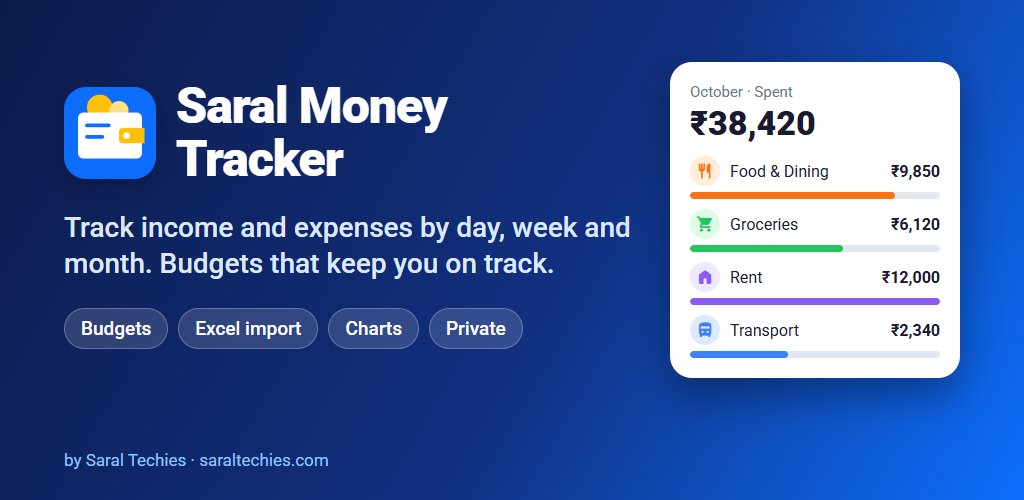
Saral Money Tracker 1.0 is finished, open source under GPL-3.0 at github.com/saraltechies/saralmoneytracker, and coming soon to Google Play. It covers expenses, income and transfers, budgets per category with a safe amount to spend per day, cash, bank, card and UPI wallet accounts, repeating entries, charts and 29 currencies with Indian number formatting for rupees.
There's one honest caveat about privacy that we put in the privacy policy rather than leave out. The app sends nothing anywhere, but if Android backup is turned on for your phone, Android may include the app's data in your own Google backup, like other apps' data. That's useful when you change phones, and it's your setting to control.
It is deliberately a tracker you fill in. It doesn't read SMS or bank apps and doesn't connect to bank accounts, so nothing is recorded behind your back. It doesn't give financial advice either. It just makes sure the numbers you enter add up correctly, which, as the Excel sheet showed us, is harder than it sounds.